
Tag: wedding photographer

  • Sam & Paul’s Hornington Manor Wedding
    Sam & Paul’s Hornington Manor Wedding

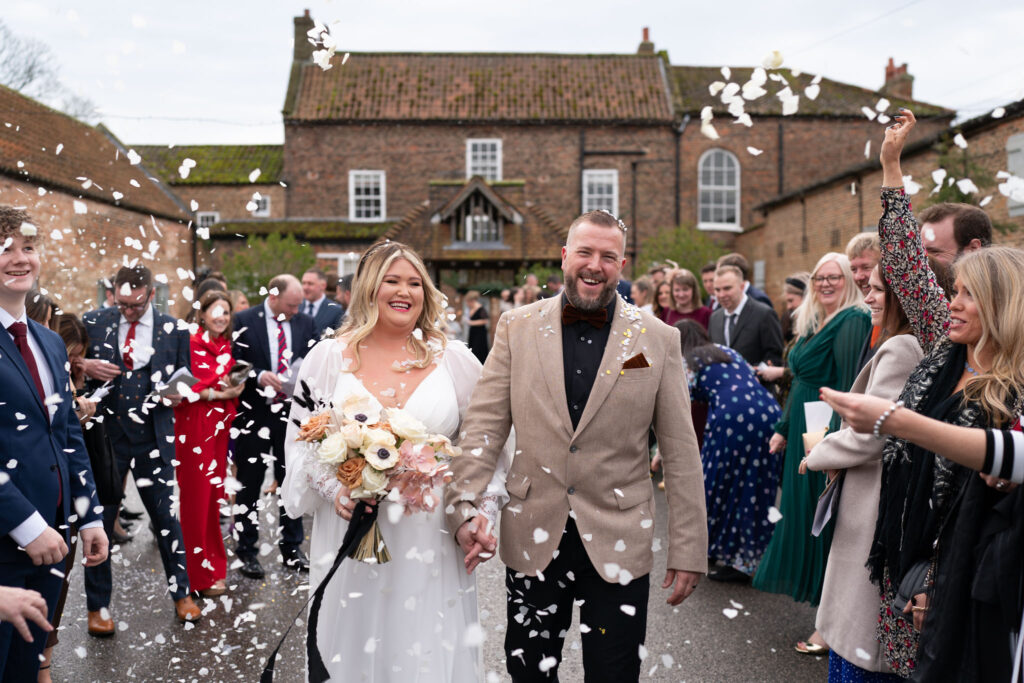
    Every wedding I photograph is an honour and a pleasure, those who ask me know how much I love what I do. But when I’m photographing the wedding of someone I know it’s even more special.

    Playing such an important part of my old school friend Paul’s wedding day meant a lot, and having the chance to catch up with a few of the guys from school felt like the last 20+ years since we left never happened.

    Add to that the fact that it was an unbelievably mild February day in the beautiful surroundings of Hornington Manor, and I’d say 2024 is getting off to a pretty special start.

    The gorgeous venue: @horningtonmanor looked even better because of the stunning flowers by @hydeparkflowerclub.by.dotties​

    ​The bridal party looked stunning with help from @hair_by_ashley_mitchell​​ and @facesbylaurenrippin

    We were entertained by @lilykerbeymusic throughout the day, and @stangers_theband in the evening.​

    And my word, what a fantastic beef dinner by @thehogandapple.

    All this meant that the photos came easy for me (@jlmweddings) and @alex_wilden​.

  • Leanne & Matthew’s Thornbridge Hall Wedding
    Leanne & Matthew’s Thornbridge Hall Wedding

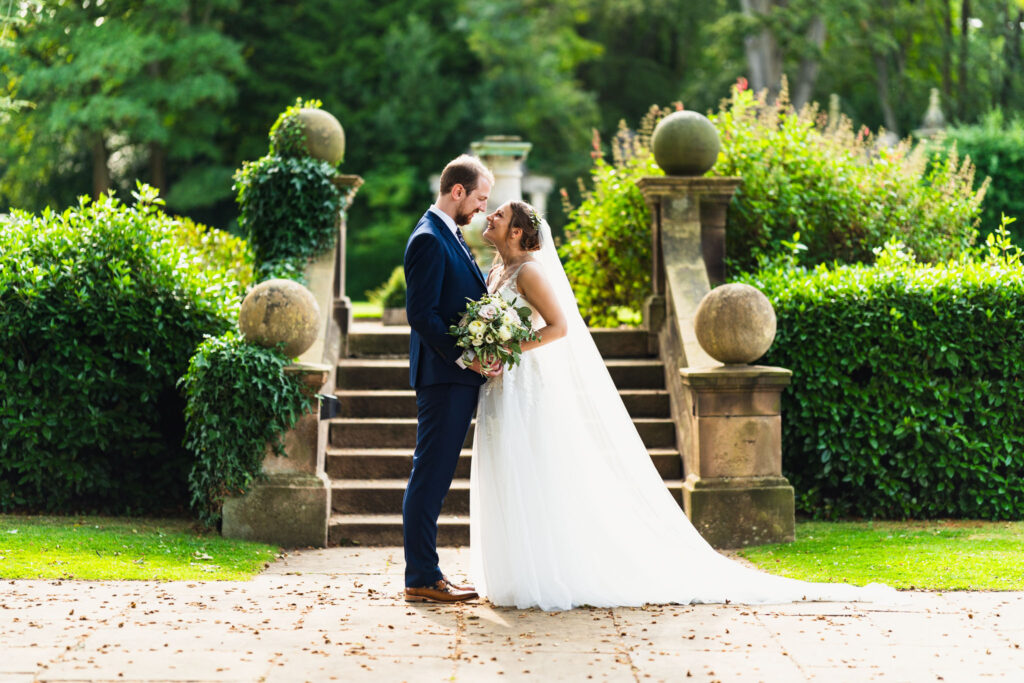
    My first visit to Thornbridge Hall was most certainly not a disappointment, the venue is absolutely stunning inside and out, and the grounds are breath-taking.

    I also had the pleasure of a second visit to the St Thomas Church (STC) Sheffield for Leanne and Matthew’s ceremony.

    In all, a beautiful day in the company of some genuinely kind and friendly people.  It really doesn’t feel like a job on days like this!

  • I Don’t Use Proper Cameras to Photograph Weddings Anymore
    I Don’t Use Proper Cameras to Photograph Weddings Anymore

    No More ‘Proper’ DSLR Cameras

    Up until the end of last year I used proper professional cameras for weddings. 

    I had three Nikon DSLRs with fast, expensive, heavy prime lenses. 

    Read about those here: Gear, Tools & Techniques :: How I Approach Wedding Photography in 2018 and here: My Wedding Photography Gear 2017

    I had to use a fancy leather body strap to carry what was upwards of 5kg on my body all day.

    In October 2018 I started experimenting with a little mirrorless camera alongside my proper cameras to see if it could do the same job using a smaller, lighter and more technologically advanced camera.

    A lot of professionals have been switching to these little Sony cameras recently which gave me a little confidence.  Having tried it out I found that I preferred using the mirrorless over the proper camera pretty much straight away.

    Don’t get me wrong there was a pretty steep learning curve.  I was used to how Nikon cameras worked and I knew my old cameras inside and out, to the point where I didn’t need to think about using them, I could get on with taking photos and being in the moment.

    Eventually though I started to get to grips with the Sony and decided to get rid of the old bulky cameras and switch to these little fellas.

    Now I know what you’re thinking, especially if you are facing the prospect of me photographing you at some point soon.

    You don’t really care how heavy my gear is, you want me turning up with the right tools for the job, not some flimsy little toy camera.

    My New Toy Cameras

    I know these little squirts may look like something you’d buy for your toddler to stop them filling up your iPhone’s memory with photos of the coffee table.  They actually have the same sensor as the Nikon cameras I used to own.  They are quicker to focus and generally perform better than DSLRs in many areas.  Not all areas, but that’s another story.

    They are also really blinkin’ expensive, so don’t judge them by their size.  Also, don’t discuss that last point with my wife, she’s already pretty miffed that I went out and bought a bunch of new cameras.

    To be honest, I’m probably not the right photographer for you.

    What this means to you, the discerning customer

    For now, let’s carry on pretending that non-photographers are still reading this.

    If I am booked to photograph your wedding, or you are considering booking me, then you absolutely don’t need to worry that I won’t be able to get the same quality of photos that I used to be able to get with my old cameras.

    The only reason I’m bringing this up is because I don’t want to turn up on the day and you see my dinky little cameras and panic that you hired a toddler to take your wedding photos.

    In reality this change means that more of your photos will be keepers because I can respond (and get focus) quicker.  I can also blend in a little better because my gear is more discrete.  

    Oh and these are better for video too, so that means higher quality video clips in your slideshow.

    Video is actually the main reason I decided to make the change, again that’s a story for another day.

    So, what gear did I actually end up buying?

    You’re gonna get sick of me saying this, definitely a story for another blog post.

    Seriously, switching brands meant I had to get rid of all my cameras, lenses, flashes, batteries, even my trusty lens changer.

    All I have left from last year are memory cards and my bags.

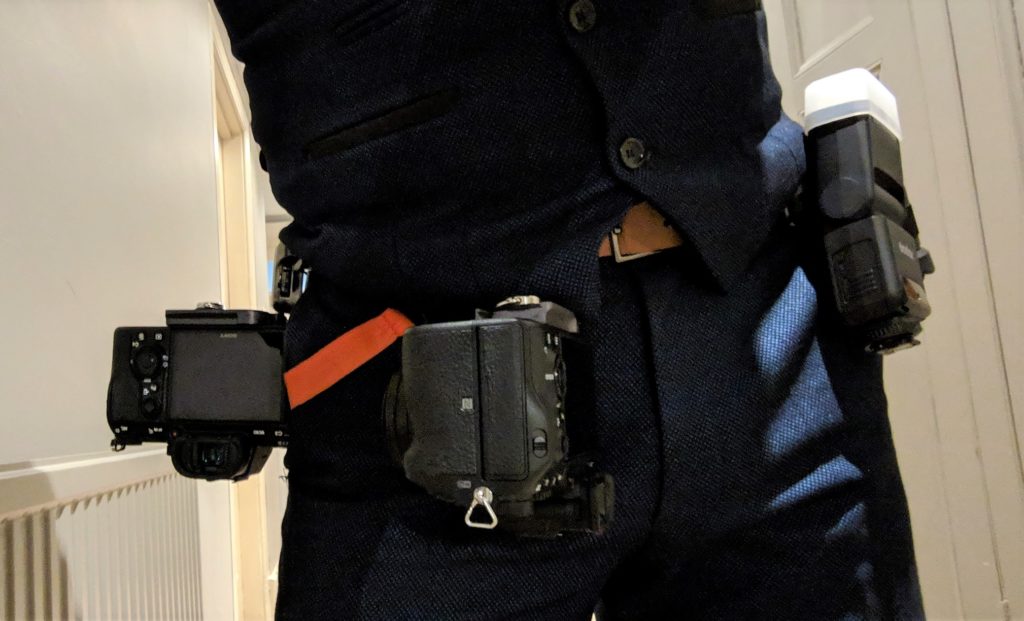
    I’ve dropped a couple of photos as teasers, keep an eye on my blog for a proper deep dive into my camera bag post-Sony, coming soon.

    Conclusion

    I bought some new cameras and sold my old ones. 

    I am now a little happier and a little cooler. 

    My wife doesn’t think I’m cooler though, she thinks I’m an idiot for blowing all this money when my old cameras were fine.

    Bottom line, my style of photography hasn’t changed, just the tools I use to capture the frames.

    I would love to photograph your wedding day

    As you can probably tell, I’m a pretty laid back photographer.

    I take photos of people who are happy, so that I don’t have to keep asking people to smile.

    You know why they’re happy?

    Because they found the right photographer that suited them and the flow of their day.

    I might not be the right photographer for you, if you fancy getting in touch to find out then hit the button below.

    Check Price & Availability
  • Tewin Bury Farm Wedding :: Louise & Joe
    Tewin Bury Farm Wedding :: Louise & Joe

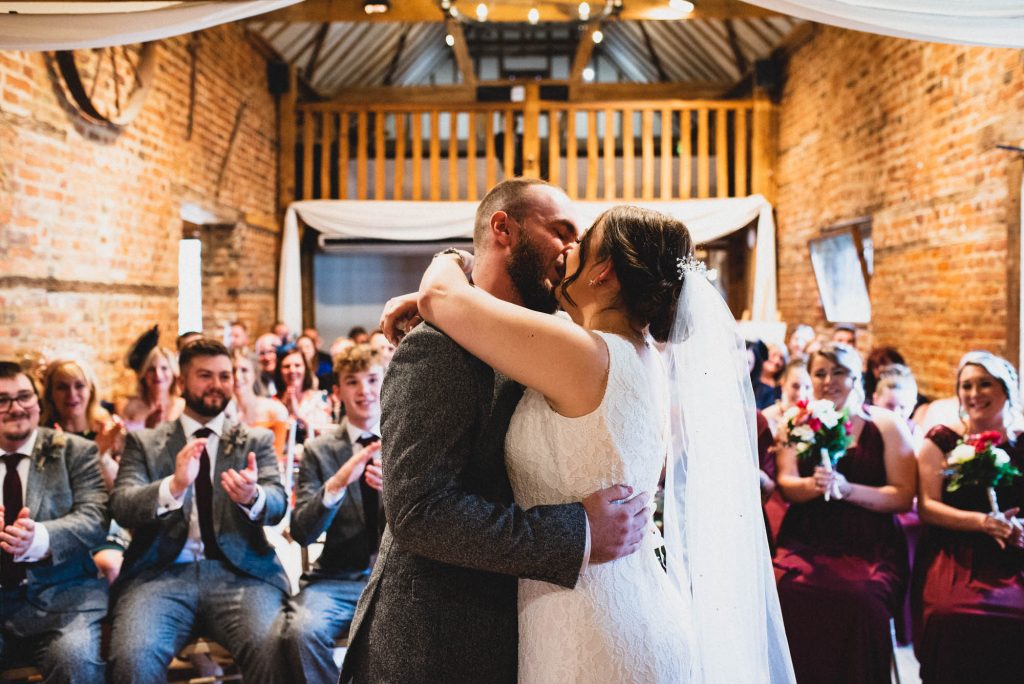
    Travelling is a passion of mine, so having the opportunity to leave Yorkshire and head down south to discover somewhere new is always very exciting.

    If I’m honest, I had never heard of Welwyn Garden City until Louise started to explain where they were getting married.

    I did my research before the big day and discovered that Tewin Bury Farm typically host up to four weddings per day!  I have seen two in the same venue before but not this many.

    I have to say, you would never have known.

    Tewin Bury Farm is very well spread around, as well as being neatly coordinated to make sure wedding parties never bump into each other.

    Joe’s family is Welsh, which gave me a great opportunity to break into my terrible Welsh accent under the pretence that I have Welsh heritage.  Well, I am a Morgan after-all.

    I probably say this a lot, I had a really great time with Louise and Joe’s friends and family.  Everyone was a blast and made me feel so welcome.

    I also enjoyed working with Carly Brown Photography for the first time.  Carly, along with assistant Jay were on video duties, and whilst I have had times where the video team have tried to take over, Carly and Jay took the same approach as I do, letting the action unfold and capture the real moments.  Looking forward to seeing the final movie.

    To be honest, I’m probably not the right photographer for you.


    The Highlights

    Instead of showing you all 800+ photos from that beautiful day, I will leave you with a nice selection of highlights.

  • My Revolutionary New Lightroom Workflow
    My Revolutionary New Lightroom Workflow


    TL;DR – I use Lightroom’s Smart Collections alongside star ratings to move photos through my workflow.  I keep them all in a synced collection so I can edit on either my desktop or laptop.

    First I’ll talk you through how I use the process.  Then, if you want to implement the workflow yourself, I’ll walk you through how to set it up.


    See if this problem sounds familiar.

    I’m a wedding photographer, meaning I have thousands of photos that need editing at any one time.

    I have two computers. 

    One is a powerful desktop with loads of processing power and tonnes of storage.  Naturally this desktop is where all the raw files are stored and I do all my Lightroom processing.

    The other is a mid-range laptop which, up until now, I only really use for client meetings and coffee shop blogging.

    I would love to be able to pick up the laptop and get on with some editing in the waiting room of my kids’ dance class.

    The only way I could think to do this previously was by keeping my Lightroom catalogue on an external drive.  This never sat well with me though because I had doubts about the performance and reliability of such a solution.

    Somehow, whilst playing around with Lightroom CC (not the classic version), I started to wonder whether I could use that on the laptop to achieve my goal.

    This new workflow is the result of many months of wracking my brain to figure out how to make this work for both culling and editing, whilst not involving constantly moving files in and out of synced collections.

    Importing The Photos

    I import the raw files onto my desktop using the Lightroom Import module, then build smart previews for all files straight away.  Usually overnight if I’ve just gotten home from an all day wedding.

    At the same time the smart previews are building I use my file explorer to copy the raw folder onto my external NAS drive for backup.

    I also have Backblaze sitting on my desktop meaning all the raw files are also being uploaded to the cloud, thus creating my off-site backup should anything drastic happen to my house.

    Updating The Sync Collection

    This is the clever part.  This is what makes the syncing work.

    When you import your new photos, make sure you add them to the ‘Synced Folder’ collection.

    This will load all your photos into the cloud and synced across your computers.  Any changes you make on one will sync across to the other.  This includes the star ratings that you will be setting up further down.

    Unfortunately, due to a limitation in Lightroom (at time of writing, October 2018) it is not possible to sync smart collections in Creative Cloud.  Using this synced folder is a workaround I have come up with.

    The ‘Culling Queue’ Smart Collection

    The next step in my editing workflow is culling the photos. 

    This is a process of eliminating all the duffs and duplicates so that I am left with the final collection of photos that will be delivered to the client.

    I have setup a Smart Collection in Lightroom on my desktop which contains all 0-star photos in the Synced Photos collection.

    The ‘Culling Queue’ smart collection is therefore every photo that needs to be checked.  As I process each photo I change the rating to either 1 or 2.

    1 star means the photo will not be delivered to the client, i.e. a reject.  2 stars is for photos that will go on to be edited and delivered.

    Using this number rating system is actually a really quick way to cull photos in Lightroom.  All you do is hit either 1 or 2 and it instantly drops out of the Culling Queue smart collection, putting the next photo in front of you.

    Sometimes when I’m culling, if I am struggling to decide whether a photo is a keeper, I will actually go ahead and edit it straight away.  For those photos I can give them a 3 star during the culling process so that they skip the editing queue and jump straight into the Ready For Export bucket.  Another great time saver.

    I can also change the star rating of a photo in Lightroom CC, meaning I can cull on the laptop and the changes will pass over to my desktop.

    The ‘Editing Queue’ Smart Collection

    The next Smart Collection that I have setup is the Editing Queue.

    This is basically all photos that have been flagged as 2 stars during the Culling process, i.e. ready to be edited.

    As I work through and edit these photos, each finished photo is flagged as 3 stars to say that the editing is complete.  For the best photos I also use the Red colour flag to pick out an edited ‘highlight’ which I will use in the slideshow and on my blog.

    All the 3 stars move into the next Smart Collection ‘Ready for Export’.

    Exporting the Edited Photos to JPEG

    This step can only be done on the desktop because it requires the actual raw files.

    Once all the photos from a particular wedding have been fully culled and edited, it is time to export them to JPEG ready for delivery.

    On the desktop I select all the photos in the Ready For Export smart collection and do the usual right-click -> Export.

    When they are finished exporting I flag them as 4 stars.

    The Highlights

    All the photos that I flagged Red as highlights go into another synced smart collection ready for export.  I export these separately because I use different settings for my blog.  Smaller file size, SEO names etc.

    Once I am happy that they have exported I change the colour flag from Red to Green so that they drop out of the synced Red smart collection but can still be picked out if I need to refer back to my highlights later.

    Housekeeping

    Once the photos have been edited and exported they can be removed from the Synced Photos collection.

    This is important because there are only so many gigabytes available on the Creative Cloud subscription, keeping up to date on clearing it out will save a tonne of work later.

    Don’t worry about deleting photos from this collection, you aren’t deleting the raw files and the ratings will still be in tact if you need to filter the photos later.

    Setting The Workflow Up For Yourself

    If you think this workflow could work for you, here is how to set it up yourself.

    First of all, in order to employ this workflow, here are a few basic requirements.

    The workflow can work with only one computer.  For the sync to be effective you really should have two.  These can be Windows or Mac, or whatever else so long as they are capable of running Lightroom.

    You will need to subscribe to Adobe Creative Cloud, the Photography plan is sufficient.  This will not work with the older standalone versions of Lightroom.

    Oh and a pretty solid, fast and ideally unlimited internet connection, since you’ll be syncing a lot of data back and forth between your machines.  Internet out and about on the laptop isn’t so much of an issue so long as you remember to sync it when you get back home, more on that later.

    How to Setup Lightroom to Use This Workflow

    Before you can start to use this workflow you need to get a few things setup in Lightroom.

    You don’t have to organise this in exactly the same way that I have, this is just a guide to setting up how I have mine.

    Creating Smart Collections

    First thing to do is to create a collection set, which I called ‘Editing Workflow’.

    Inside that collection set create a Collection called ‘Synced Photos’.

    Then you need to create the following Smart Collections, also in the Editing Workflow collection set.

    Smart Collection NameCriteria
    0 – Culling QueueRating IS blank
    Source – Collection contains Synced Photos.
    1 – RejectsRating IS 1
    Source – Collection contains Synced Photos.
    2 – Editing QueueRating IS 2
    Source – Collection contains Synced Photos.
    3a – Ready for ExportRating IS 3
    Source – Collection contains Synced Photos.
    3b – Highlights for ExportRating IS 1
    Source – Collection contains Synced Photos.
    Label Color is red
    4 – Processed & ExportedRating IS 4
    Source – Collection contains Synced Photos.

    Your Lightroom collections section should look a little like this:

    Unlike most other Lightroom import settings, this one doesn’t seem to remember how I did it last time, so you need to remember to click this every time.

    Culling, Editing and Syncing in Lightroom CC

    I did experiment with having Lightroom Classic on both laptop and desktop, and keeping them both in sync.  Unfortunately (again at time of writing in October 2018) this is not possible.

    So, for now, we are stuck with Lightroom CC on the laptop.

    This isn’t such a bad thing though, Lightroom CC does a decent job.

    Once you get used to it you can quickly work through the photos and change the star rating so culling becomes easy.

    So long as you applied your custom preset to the files on import then you should be most of the way there with processing too, just a few tweaks are no problem in CC.

    Some Important Points About Syncing

    In order to keep things in sync, both your desktop and laptop need to spend a lot of time connected to the internet with Lightroom open.

    If you pick up the laptop and leave the house without doing a sync first, any changes you made on the desktop since the last sync won’t be on the laptop.

    You also need to remember to sync the laptop when you get home if you have been editing without an internet connection.

    Conclusion

    Adopting this new workflow has made a huge difference to my image processing.

    Using the smart collections makes it really easy to switch photos between the Culling, Editing and Exporting stages.

    I find it much quicker now that I can cull photos with one press instead of two.  Where I used to hit the rating and then the right arrow, now it’s just a quick number and it’s done.  

    I can even click a photo straight into the completed stage if I think it doesn’t need any further editing, thus making my editing stage that bit quicker too.

    I enjoy this new workflow and am very pleased with it.  If you like it too please do let me know.  I would also love to hear about any tweaks or changes you have made to make it work better for you.

    See ya next time,

    James

  • The Old Stables, Swithland Wedding :: Jenny & Sam
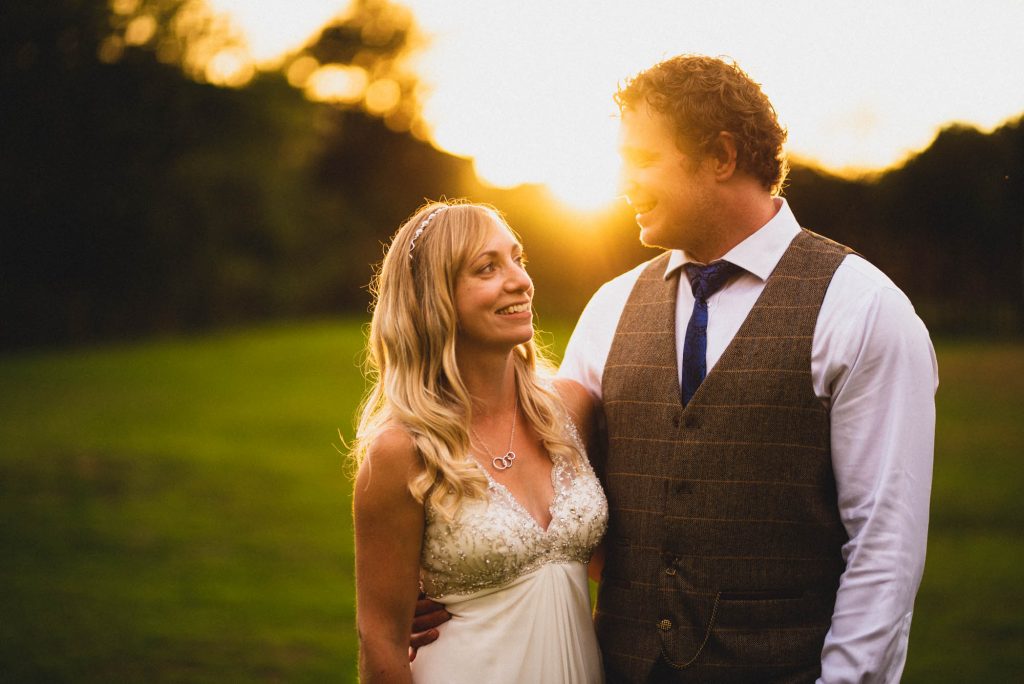
    The Old Stables, Swithland Wedding :: Jenny & Sam

    This wedding was featured in Boho Weddings blog in March 2019 – check that feature out on Boho Wedding’s Blog.

    I do enjoy it when I get to travel for a wedding.  Although The Old Stables in Swithland isn’t actually that far away from my HQ in Sheffield it was still a welcome change of scenery.

    As per usual I arrived with Jenny and her Bridal party a few hours before the ceremony as Jenny’s Father’s house.  I was immediately made to feel welcome with offers of drinks and snacks.

    The morning was very calm and peaceful as the Bridesmaids slowly and surely transformed from their ‘Bride Squad’ t-shirts into their amazingly multi-pastel coloured dresses.

    The team then turned their attention to getting Jenny into her beautiful dress before popping out into the garden for a spot of one-hole golf.

    The Church Ceremony

    The round of golf was cut short by the arrival of the wedding car, it was time to go to church.

    Fortunately St Philip & St James’ Church was only a 30 second drive up the road so I had plenty of time to get a few snaps of Jenny getting into the car before making my way up to join Sam and the rest of the guests up at church.

    The ceremony itself was lighthearted and actually quite amusing at times.  The St Philip’s and St James’ is a very cosy feeling church so the atmosphere was very warm and friendly.

    During the service I noticed the rain was coming down heavily outside, fortunately by the time we came to go back outside it has stopped and it was, in fact, gloriously sunny out.

    The Old Stables

    Here’s my tip for anyone looking for The Old Stables in Swithland… search for The Griffin Inn.  The Old Stables is essentially a side-building.

    Jenny is a keen horse-rider so The Old Stables was a natural choice for her wedding reception venue.

    The grounds are vast and the building a beautiful mix of rustic barn meets modern wedding venue.

    Topping off the look were the various horse themed decorations built mostly by Sam and Jenny themselves, including the photo-booth style frame and the wooden ‘running order’ board.

    Throughout the day the weather was touch and go.  It was sunny and dry long enough for the speeches to happen outside in the gardens, and we did manage to find gaps in the rain to get some great portrait photos.

    The icing on the cake of this beautiful wedding day was the arrival of Jenny & Sam’s dog who was extremely happy to see them.

    The Photos

    So that was the story of the day, here is a selection of photos from the gallery.

    All of these photos were taken by me, obviously.  If you would like to talk to me about photographing your wedding why not get in touch to see if I am available on your wedding day?

    To be honest, I’m probably not the right photographer for you.

  • Why Is Wedding Photography Expensive? The Value of Premium Photographers
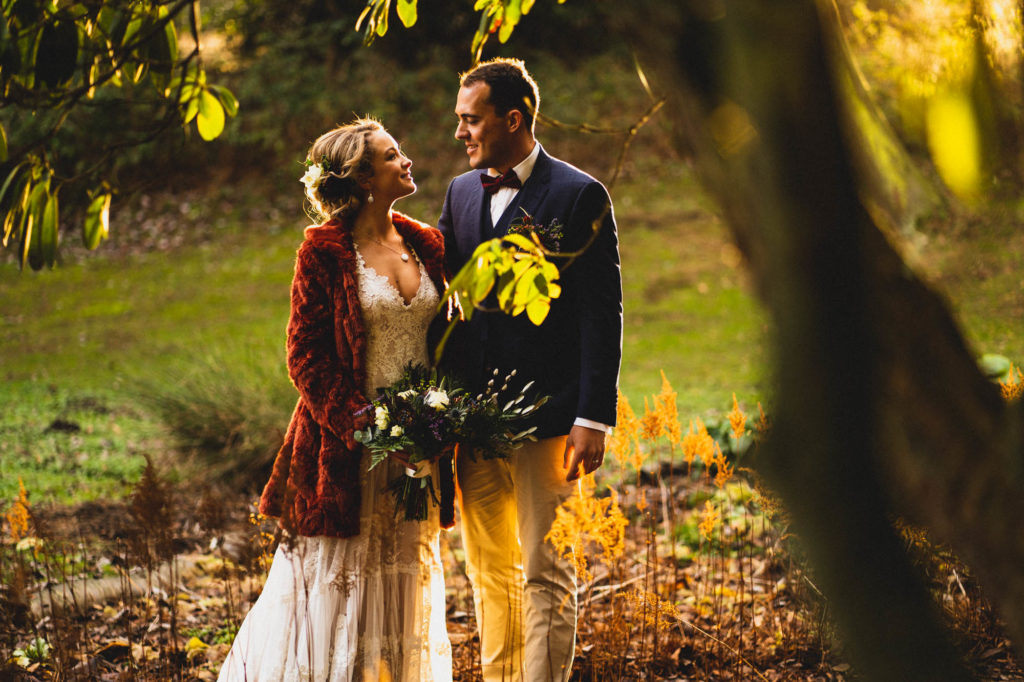
    Why Is Wedding Photography Expensive? The Value of Premium Photographers

    Exploring The True Value of Premium Wedding Photography

    If you have ever wondered how wedding photographers get away with charging what they do then you need to read this.

    This article originally began life as a sales pitch to explain why I charged more than others for my wedding photography services.

    My goal was to demonstrate why it was worth spending more on me and my services over the other guy who charges less.

    The further I got into planning the pitch, the more I came to realise that the other guy’s approach to pricing is just as valid as my own.

    I ended up deciding that it was best to do some proper research into the true value of wedding photography.

    My big revelation was how wedding photography pricing is actually quite similar in many ways to airline fares.

    (more…)
  • Wentworth Woodhouse Engagement Shoot :: Claire & Sam
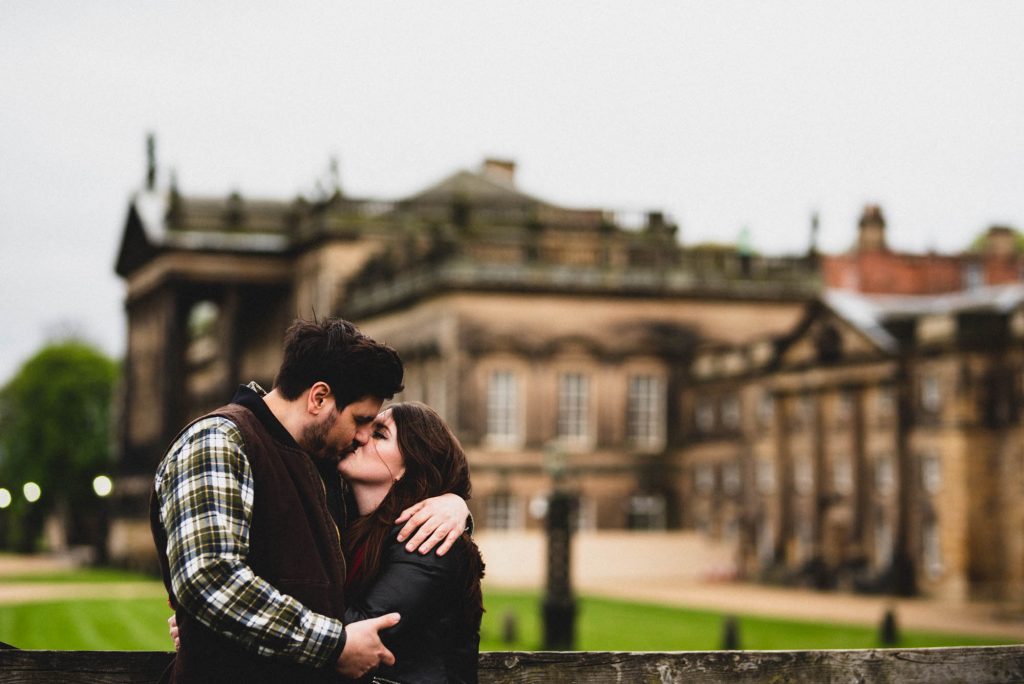
    Wentworth Woodhouse Engagement Shoot :: Claire & Sam

    Claire & Sam’s Wentworth Engagement Shoot

    These two beautiful people are getting married this coming June at the Rockingham Arms in Wentworth.

    Claire told me before this shoot that they were both really nervous and didn’t know what to expect.

    They wanted to have an engagement shoot so that they could get used to the idea of having their photos taken. (more…)

  • Wood Lane Countryside Centre Wedding :: Miranda & Alex
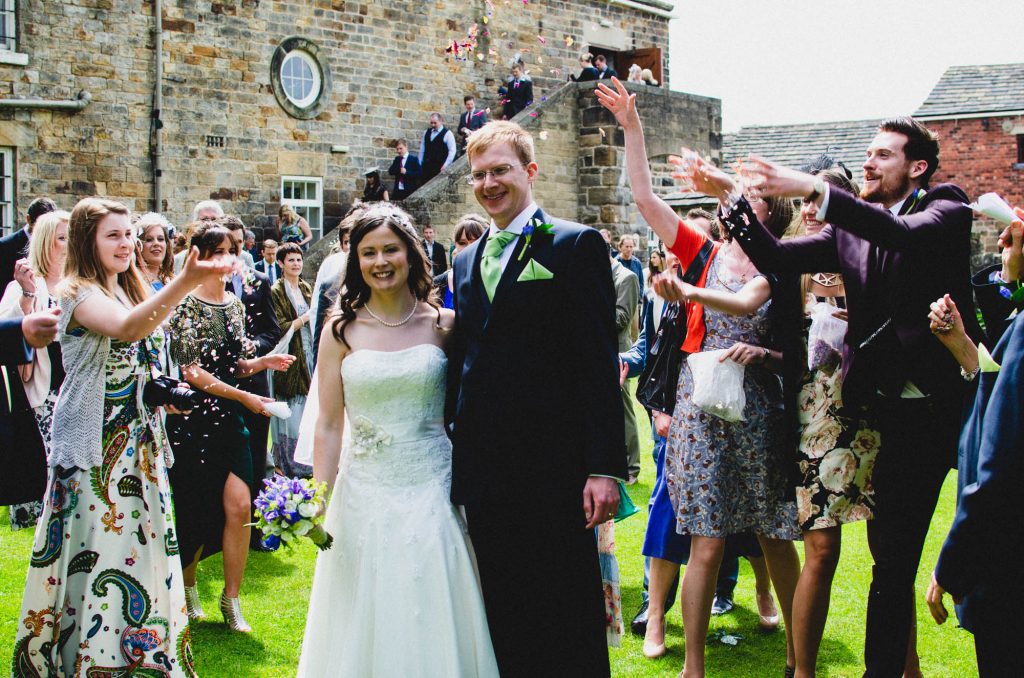
    Wood Lane Countryside Centre Wedding :: Miranda & Alex

    The Wedding That Started It All!

    This is the story of Miranda and Alex’s Wood Lane Countryside Centre wedding, all the way back in June 2013.

    The wedding also known as my first ever wedding!

    It was always a pity that this wedding never made it onto my blog.

    I actually photographed this wedding before I actually became a wedding photographer.

    Alex and Miranda have been close friends with my wife and I for many years.

    One day, probably somewhere around summer 2012, they were round at our house when suddenly there was a noticeable pause.  Alex looked at Miranda, she looked back at him.  They gave us the look.  The ‘we have a proposition for you’ look.

    That was when they asked me if I would photograph their wedding.

    To put that into context for you, at this point photography was my hobby.  I ran a local photography group and had occasionally photographed events at my place of work.

    I had never even considered photographing someone’s wedding.

    To be frank, I didn’t think I was good enough.

    Alex and Miranda though, seemed to be of the opinion that I was good enough.

    So, on the understanding that I was not a professional and thus great results were not guaranteed, I accepted their proposal and we carried on with the rest of our evening.

    Photographer and Wedding Guest

    When June 2013 rolled around I felt more prepared than I had when they initially asked.

    I had taken the plunge earlier in the year and bought myself a better camera.  It still wasn’t a professional camera, I couldn’t afford that.  Still it was a good quality and dependable camera.

    I also spent the time learning, getting ready for the pressures of the day by making sure I knew my new camera inside and out.

    Aside from this being my first ever wedding as the photographer, there was something else unusual about it for me.  You see I was not just the photographer, I was a guest too.

    Yes, my wife and then nearly 3 year old daughter were also there.  In fact my daughter was the flower girl.

    Looking back, I think that was probably a more difficult situation than simply being the photographer.

    Whilst I was able to spend some time with my wife and daughter, and we did sit together at the dinner, I was conscious that I was leaving them for extended periods throughout the day.

    Not ideal, but they knew other people besides me so they managed to still enjoy the day without me.

    So, how did I do?

    Many seasoned wedding photographers look back at their earlier work and cringe.

    We are always learning and constantly improving, even those who have been doing it for years.

    As part of telling this story to you I pulled the photos out of the archives, picked out some highlights and gave them a fresh edit.  I applied what I know now about post-processing to the photos I took at the time.

    To be honest, I am quite proud of myself.

    The photos I took were pretty good, though I can definitely see how limited I was by the lower rate camera gear that I had at the time, especially in poor light.

    If I was to be critical, there are photos I missed.  Photos that I would not have missed now simply because I know more about where I need to be ahead of time.

    For example, I don’t think I did a good job capturing the first dance, there don’t seem to be many shots of that at all.

    Also, looking back at the group photos, the lighting was not the best.  It was a beautiful sunny day, which is a pain for photos with all the harsh shadows.

    In hindsight, there were loads of trees about which would have provided ample shade to take the photos without the sun.

    The only proper cringe moment I have is looking at how I used the flash.  During the speeches I must have been pointing the flash directly at those speaking, resulting in harsh shadows behind them.  Something I would never do these days.

    That said, I am pleased with how the photos turned out.

    The Gamble

    The most important thing for me is that I didn’t let my friends down, and therein lies the risk of asking a friend to take your wedding photos.

    Being brutally honest, I was lucky that nothing went wrong.

    Although my camera was new and in good condition, I only had one.  Had I dropped or damaged it at any point I would have been unable to carry on.  Same goes for my lens.  I think I only had one battery too.

    Being so ill-prepared terrifies me now.  Of course, I now have the means to make sure I carry backup gear, extra batteries, memory cards, insurance and so on.

    Thankfully nothing did go wrong on the day for me, others I have heard about have not been so lucky.

    The Photos

    I know I have rambled on a bit here, I think this is a story worth sharing.

    The story would not be complete without sharing some of the photos I took on the day.

    So here are a handful of shots, all taken by me with one camera, one lens and no experience.

    Be kind in your comments 🙂

    So there you go, the story and some photos from the first wedding I ever photographed.

    Rest assured I have come a long way since 2013.  If you would like to talk to me about photographing your wedding give me a shout.

    See ya next time,

    James

  • How to Spot Great Quality Wedding Photos :: A Beginner’s Guide
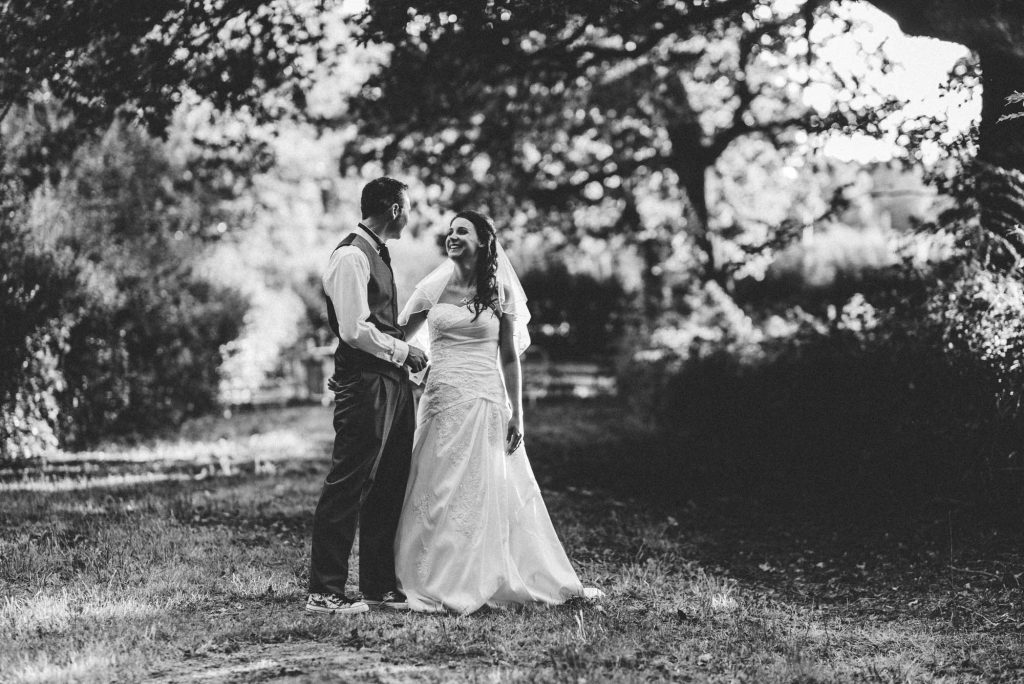
    How to Spot Great Quality Wedding Photos :: A Beginner’s Guide

    If photography is not your passion then you may struggle to see the difference in quality between wedding photographers.

    In all likelihood, if you are looking for a photographer for your wedding then this is your first time booking a photographer of any kind.

    Unfortunately, many in your position resort to judging photographers based on price alone.

    Whilst price is a big factor, as you will discover in this article there are many more factors that you should consider.

    By the time you have finished reading this you will have a better understanding of what to look out for.

    We will also look at the different styles of photography so you can start to narrow down your options.

    Hopefully you will also finish with a greater appreciate of photography as an art form.

    (more…)