Category: Tog-2-Tog Blog

Posts in this category are likely to be interesting to other photographers.

  • Why Photographers Need To Keep Buying New Gear
    Why Photographers Need To Keep Buying New Gear

    I can’t think of any other profession outside of photography where the pro’s obsess about their tools quite as much as we do.

    I’ll pause for a moment so you can write your own joke.

    There is no logical reason to replace a perfectly good lens with another version of the same when the previous lens was already great.

    Your clients almost certainly won’t notice that you’ve used a GM, L or Art lens, and they definitely won’t care.

    So why bother?

    If you take all the emotion out of shopping for your photography gear then you’d probably end up with a set of professional quality zooms that cover an extensive focal length. They will be flexible and last for years.

    But that’s just boring.

    Sorry zoomers, it’s true.

    Often our clients don’t hire us because we have sturdy and reliable lenses. They want our creativity, our inspiration to capture something exciting.

    You know what gets in the way of creativity?

    Boredom.

    If you’re just stood there going through the motions with the same old boring gear you won’t necessarily be enjoying yourself.

    Your lack of enthusiasm will show in your attitude at the time as well as in the photos later.

    Great photographers love taking photos.

    They push themselves creatively and strive to capture something new and exciting every time they go out.

    What gets us most excited?

    New gear!

    So there you go. 

    Next time your significant other is struggling to understand why you had to replace a fully functional piece of equipment with something almost identical that cost twice as much, show them this article.

    It won’t get you out of the doghouse, but at least they’ll know they are sacrificing a family holiday for a good cause.

  • I Don’t Use Proper Cameras to Photograph Weddings Anymore
    I Don’t Use Proper Cameras to Photograph Weddings Anymore

    No More ‘Proper’ DSLR Cameras

    Up until the end of last year I used proper professional cameras for weddings. 

    I had three Nikon DSLRs with fast, expensive, heavy prime lenses. 

    Read about those here: Gear, Tools & Techniques :: How I Approach Wedding Photography in 2018 and here: My Wedding Photography Gear 2017

    I had to use a fancy leather body strap to carry what was upwards of 5kg on my body all day.

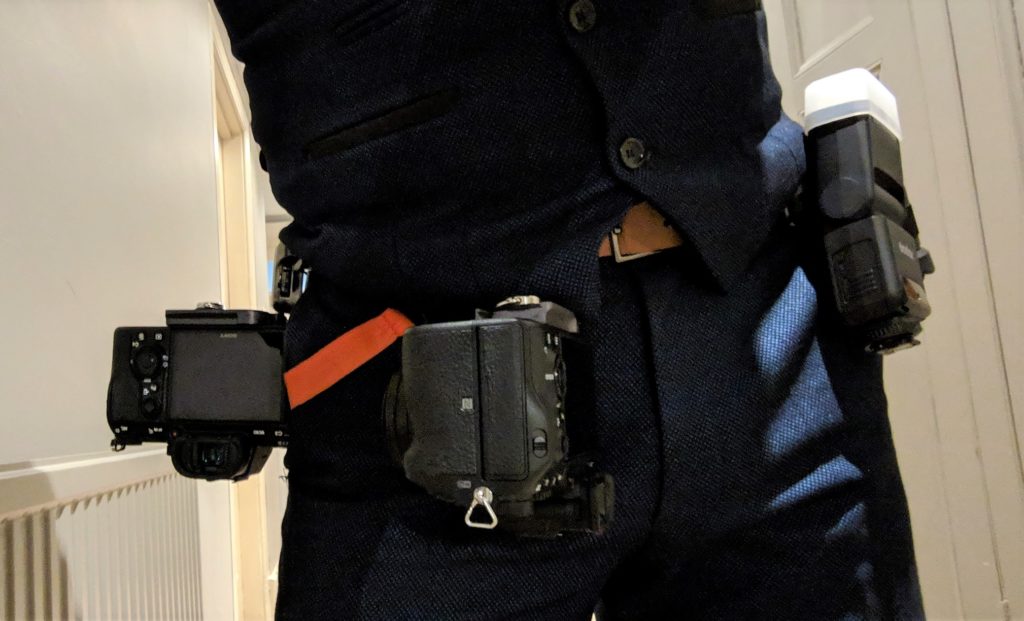
    In October 2018 I started experimenting with a little mirrorless camera alongside my proper cameras to see if it could do the same job using a smaller, lighter and more technologically advanced camera.

    A lot of professionals have been switching to these little Sony cameras recently which gave me a little confidence.  Having tried it out I found that I preferred using the mirrorless over the proper camera pretty much straight away.

    Don’t get me wrong there was a pretty steep learning curve.  I was used to how Nikon cameras worked and I knew my old cameras inside and out, to the point where I didn’t need to think about using them, I could get on with taking photos and being in the moment.

    Eventually though I started to get to grips with the Sony and decided to get rid of the old bulky cameras and switch to these little fellas.

    Now I know what you’re thinking, especially if you are facing the prospect of me photographing you at some point soon.

    You don’t really care how heavy my gear is, you want me turning up with the right tools for the job, not some flimsy little toy camera.

    My New Toy Cameras

    I know these little squirts may look like something you’d buy for your toddler to stop them filling up your iPhone’s memory with photos of the coffee table.  They actually have the same sensor as the Nikon cameras I used to own.  They are quicker to focus and generally perform better than DSLRs in many areas.  Not all areas, but that’s another story.

    They are also really blinkin’ expensive, so don’t judge them by their size.  Also, don’t discuss that last point with my wife, she’s already pretty miffed that I went out and bought a bunch of new cameras.

    To be honest, I’m probably not the right photographer for you.

    What this means to you, the discerning customer

    For now, let’s carry on pretending that non-photographers are still reading this.

    If I am booked to photograph your wedding, or you are considering booking me, then you absolutely don’t need to worry that I won’t be able to get the same quality of photos that I used to be able to get with my old cameras.

    The only reason I’m bringing this up is because I don’t want to turn up on the day and you see my dinky little cameras and panic that you hired a toddler to take your wedding photos.

    In reality this change means that more of your photos will be keepers because I can respond (and get focus) quicker.  I can also blend in a little better because my gear is more discrete.  

    Oh and these are better for video too, so that means higher quality video clips in your slideshow.

    Video is actually the main reason I decided to make the change, again that’s a story for another day.

    So, what gear did I actually end up buying?

    You’re gonna get sick of me saying this, definitely a story for another blog post.

    Seriously, switching brands meant I had to get rid of all my cameras, lenses, flashes, batteries, even my trusty lens changer.

    All I have left from last year are memory cards and my bags.

    I’ve dropped a couple of photos as teasers, keep an eye on my blog for a proper deep dive into my camera bag post-Sony, coming soon.

    Conclusion

    I bought some new cameras and sold my old ones. 

    I am now a little happier and a little cooler. 

    My wife doesn’t think I’m cooler though, she thinks I’m an idiot for blowing all this money when my old cameras were fine.

    Bottom line, my style of photography hasn’t changed, just the tools I use to capture the frames.

    I would love to photograph your wedding day

    As you can probably tell, I’m a pretty laid back photographer.

    I take photos of people who are happy, so that I don’t have to keep asking people to smile.

    You know why they’re happy?

    Because they found the right photographer that suited them and the flow of their day.

    I might not be the right photographer for you, if you fancy getting in touch to find out then hit the button below.

    Check Price & Availability
  • My Revolutionary New Lightroom Workflow
    My Revolutionary New Lightroom Workflow


    TL;DR – I use Lightroom’s Smart Collections alongside star ratings to move photos through my workflow.  I keep them all in a synced collection so I can edit on either my desktop or laptop.

    First I’ll talk you through how I use the process.  Then, if you want to implement the workflow yourself, I’ll walk you through how to set it up.


    See if this problem sounds familiar.

    I’m a wedding photographer, meaning I have thousands of photos that need editing at any one time.

    I have two computers. 

    One is a powerful desktop with loads of processing power and tonnes of storage.  Naturally this desktop is where all the raw files are stored and I do all my Lightroom processing.

    The other is a mid-range laptop which, up until now, I only really use for client meetings and coffee shop blogging.

    I would love to be able to pick up the laptop and get on with some editing in the waiting room of my kids’ dance class.

    The only way I could think to do this previously was by keeping my Lightroom catalogue on an external drive.  This never sat well with me though because I had doubts about the performance and reliability of such a solution.

    Somehow, whilst playing around with Lightroom CC (not the classic version), I started to wonder whether I could use that on the laptop to achieve my goal.

    This new workflow is the result of many months of wracking my brain to figure out how to make this work for both culling and editing, whilst not involving constantly moving files in and out of synced collections.

    Importing The Photos

    I import the raw files onto my desktop using the Lightroom Import module, then build smart previews for all files straight away.  Usually overnight if I’ve just gotten home from an all day wedding.

    At the same time the smart previews are building I use my file explorer to copy the raw folder onto my external NAS drive for backup.

    I also have Backblaze sitting on my desktop meaning all the raw files are also being uploaded to the cloud, thus creating my off-site backup should anything drastic happen to my house.

    Updating The Sync Collection

    This is the clever part.  This is what makes the syncing work.

    When you import your new photos, make sure you add them to the ‘Synced Folder’ collection.

    This will load all your photos into the cloud and synced across your computers.  Any changes you make on one will sync across to the other.  This includes the star ratings that you will be setting up further down.

    Unfortunately, due to a limitation in Lightroom (at time of writing, October 2018) it is not possible to sync smart collections in Creative Cloud.  Using this synced folder is a workaround I have come up with.

    The ‘Culling Queue’ Smart Collection

    The next step in my editing workflow is culling the photos. 

    This is a process of eliminating all the duffs and duplicates so that I am left with the final collection of photos that will be delivered to the client.

    I have setup a Smart Collection in Lightroom on my desktop which contains all 0-star photos in the Synced Photos collection.

    The ‘Culling Queue’ smart collection is therefore every photo that needs to be checked.  As I process each photo I change the rating to either 1 or 2.

    1 star means the photo will not be delivered to the client, i.e. a reject.  2 stars is for photos that will go on to be edited and delivered.

    Using this number rating system is actually a really quick way to cull photos in Lightroom.  All you do is hit either 1 or 2 and it instantly drops out of the Culling Queue smart collection, putting the next photo in front of you.

    Sometimes when I’m culling, if I am struggling to decide whether a photo is a keeper, I will actually go ahead and edit it straight away.  For those photos I can give them a 3 star during the culling process so that they skip the editing queue and jump straight into the Ready For Export bucket.  Another great time saver.

    I can also change the star rating of a photo in Lightroom CC, meaning I can cull on the laptop and the changes will pass over to my desktop.

    The ‘Editing Queue’ Smart Collection

    The next Smart Collection that I have setup is the Editing Queue.

    This is basically all photos that have been flagged as 2 stars during the Culling process, i.e. ready to be edited.

    As I work through and edit these photos, each finished photo is flagged as 3 stars to say that the editing is complete.  For the best photos I also use the Red colour flag to pick out an edited ‘highlight’ which I will use in the slideshow and on my blog.

    All the 3 stars move into the next Smart Collection ‘Ready for Export’.

    Exporting the Edited Photos to JPEG

    This step can only be done on the desktop because it requires the actual raw files.

    Once all the photos from a particular wedding have been fully culled and edited, it is time to export them to JPEG ready for delivery.

    On the desktop I select all the photos in the Ready For Export smart collection and do the usual right-click -> Export.

    When they are finished exporting I flag them as 4 stars.

    The Highlights

    All the photos that I flagged Red as highlights go into another synced smart collection ready for export.  I export these separately because I use different settings for my blog.  Smaller file size, SEO names etc.

    Once I am happy that they have exported I change the colour flag from Red to Green so that they drop out of the synced Red smart collection but can still be picked out if I need to refer back to my highlights later.

    Housekeeping

    Once the photos have been edited and exported they can be removed from the Synced Photos collection.

    This is important because there are only so many gigabytes available on the Creative Cloud subscription, keeping up to date on clearing it out will save a tonne of work later.

    Don’t worry about deleting photos from this collection, you aren’t deleting the raw files and the ratings will still be in tact if you need to filter the photos later.

    Setting The Workflow Up For Yourself

    If you think this workflow could work for you, here is how to set it up yourself.

    First of all, in order to employ this workflow, here are a few basic requirements.

    The workflow can work with only one computer.  For the sync to be effective you really should have two.  These can be Windows or Mac, or whatever else so long as they are capable of running Lightroom.

    You will need to subscribe to Adobe Creative Cloud, the Photography plan is sufficient.  This will not work with the older standalone versions of Lightroom.

    Oh and a pretty solid, fast and ideally unlimited internet connection, since you’ll be syncing a lot of data back and forth between your machines.  Internet out and about on the laptop isn’t so much of an issue so long as you remember to sync it when you get back home, more on that later.

    How to Setup Lightroom to Use This Workflow

    Before you can start to use this workflow you need to get a few things setup in Lightroom.

    You don’t have to organise this in exactly the same way that I have, this is just a guide to setting up how I have mine.

    Creating Smart Collections

    First thing to do is to create a collection set, which I called ‘Editing Workflow’.

    Inside that collection set create a Collection called ‘Synced Photos’.

    Then you need to create the following Smart Collections, also in the Editing Workflow collection set.

    Smart Collection NameCriteria
    0 – Culling QueueRating IS blank
    Source – Collection contains Synced Photos.
    1 – RejectsRating IS 1
    Source – Collection contains Synced Photos.
    2 – Editing QueueRating IS 2
    Source – Collection contains Synced Photos.
    3a – Ready for ExportRating IS 3
    Source – Collection contains Synced Photos.
    3b – Highlights for ExportRating IS 1
    Source – Collection contains Synced Photos.
    Label Color is red
    4 – Processed & ExportedRating IS 4
    Source – Collection contains Synced Photos.

    Your Lightroom collections section should look a little like this:

    Unlike most other Lightroom import settings, this one doesn’t seem to remember how I did it last time, so you need to remember to click this every time.

    Culling, Editing and Syncing in Lightroom CC

    I did experiment with having Lightroom Classic on both laptop and desktop, and keeping them both in sync.  Unfortunately (again at time of writing in October 2018) this is not possible.

    So, for now, we are stuck with Lightroom CC on the laptop.

    This isn’t such a bad thing though, Lightroom CC does a decent job.

    Once you get used to it you can quickly work through the photos and change the star rating so culling becomes easy.

    So long as you applied your custom preset to the files on import then you should be most of the way there with processing too, just a few tweaks are no problem in CC.

    Some Important Points About Syncing

    In order to keep things in sync, both your desktop and laptop need to spend a lot of time connected to the internet with Lightroom open.

    If you pick up the laptop and leave the house without doing a sync first, any changes you made on the desktop since the last sync won’t be on the laptop.

    You also need to remember to sync the laptop when you get home if you have been editing without an internet connection.

    Conclusion

    Adopting this new workflow has made a huge difference to my image processing.

    Using the smart collections makes it really easy to switch photos between the Culling, Editing and Exporting stages.

    I find it much quicker now that I can cull photos with one press instead of two.  Where I used to hit the rating and then the right arrow, now it’s just a quick number and it’s done.  

    I can even click a photo straight into the completed stage if I think it doesn’t need any further editing, thus making my editing stage that bit quicker too.

    I enjoy this new workflow and am very pleased with it.  If you like it too please do let me know.  I would also love to hear about any tweaks or changes you have made to make it work better for you.

    See ya next time,

    James

  • Gear, Tools & Techniques :: How I Approach Wedding Photography
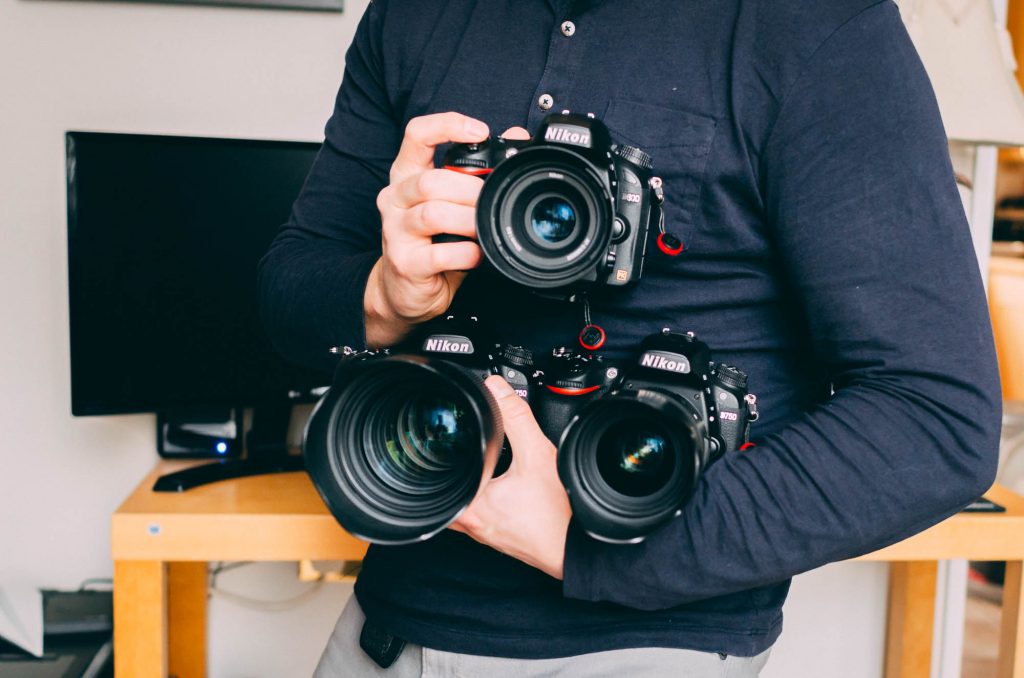
    Gear, Tools & Techniques :: How I Approach Wedding Photography

    I know what you’re thinking.

    Another photographer blabbing on about his camera gear.

    Well, as much as I do love discussing camera gear, this update is really more about how my tools and techniques will benefit you as a bride or groom-to-be.

    (more…)

  • How to Spot Great Quality Wedding Photos :: A Beginner’s Guide
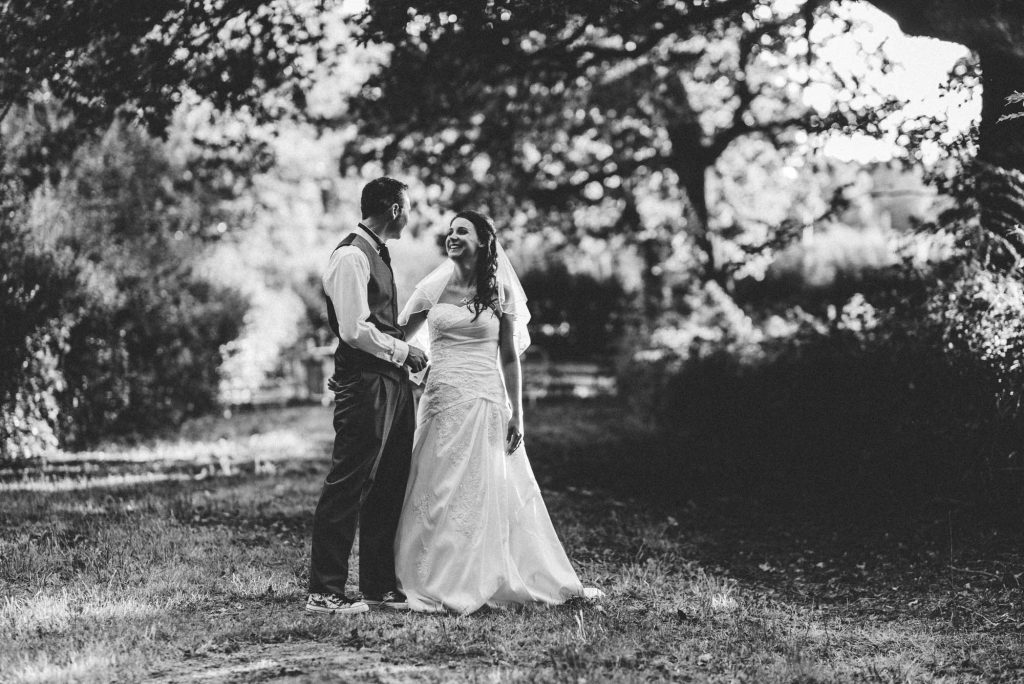
    How to Spot Great Quality Wedding Photos :: A Beginner’s Guide

    If photography is not your passion then you may struggle to see the difference in quality between wedding photographers.

    In all likelihood, if you are looking for a photographer for your wedding then this is your first time booking a photographer of any kind.

    Unfortunately, many in your position resort to judging photographers based on price alone.

    Whilst price is a big factor, as you will discover in this article there are many more factors that you should consider.

    By the time you have finished reading this you will have a better understanding of what to look out for.

    We will also look at the different styles of photography so you can start to narrow down your options.

    Hopefully you will also finish with a greater appreciate of photography as an art form.

    (more…)

  • How to make sure you never lose your wedding photos…
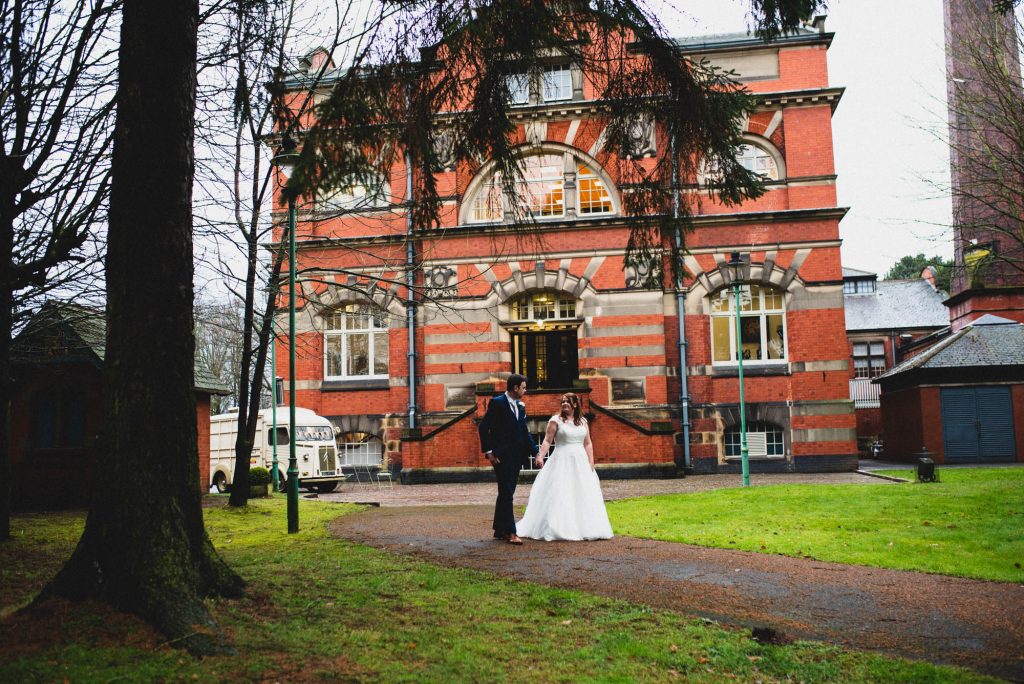
    How to make sure you never lose your wedding photos…

    How to get make sure you never lose your wedding photos…

    … and how to get them back if you do!

    Most of this advice is relevant to all digital photos, though obviously if we’re talking about photos you took yourself then you can’t go back to the professional photographer to see if they have a backup.

    (more…)
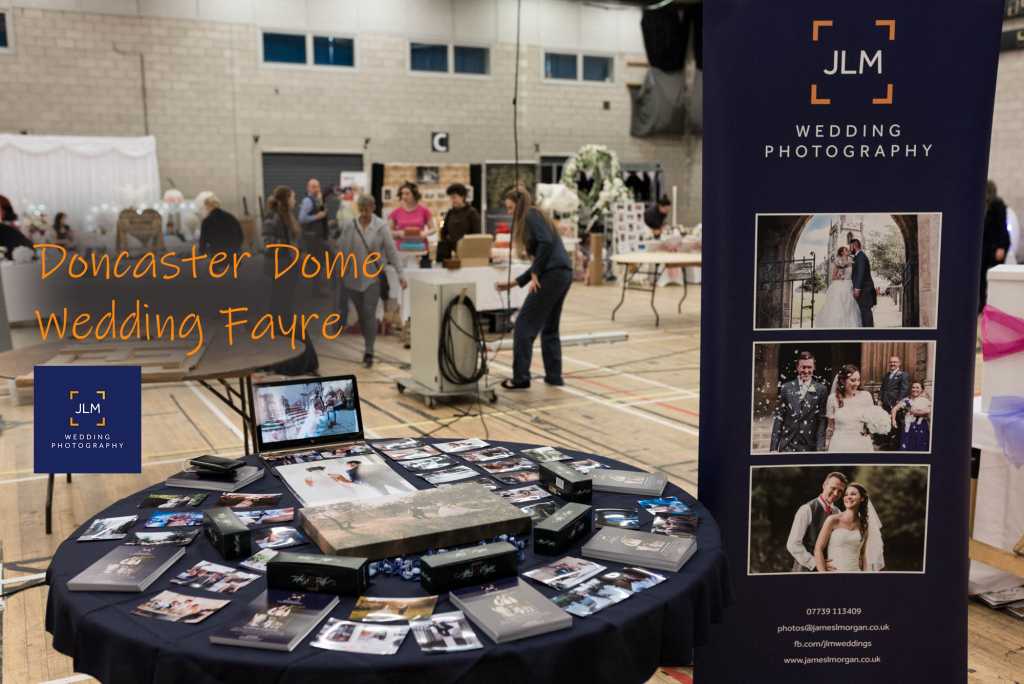
  • Doncaster Dome Wedding Fayre debrief 

    Doncaster Dome Wedding Fayre debrief 

    It probably isn’t normal for a wedding photographer to blog about their wedding fayre experiences.

    We prefer to share our photos along with stories of wedding days that we capture.

    What would be the value of my recounting my day exhibiting at the Doncaster Dome Wedding Fayre?

    (more…)
  • 12 of the best Wedding Venues in Sheffield
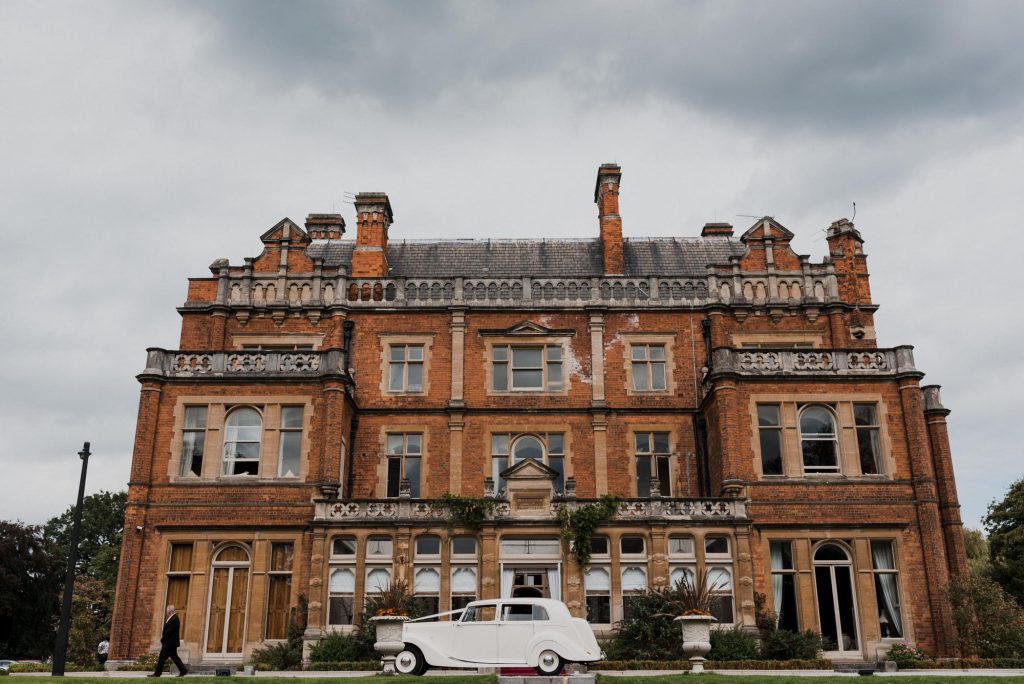
    12 of the best Wedding Venues in Sheffield

    Great Places to Get Married Around Sheffield

    So, you’re getting married and you’re looking for a wedding venue in Sheffield.

    I won’t do a full review of each venue because I only really get to experience them on the day, there are a lot more factors involved.

    Since I am never so nosy as to ask how much people paid for their venue I cannot comment on value for money, that is something you will have to decided for yourselves once you have your quote from the venue.

    Instead I have decided to show you a few photos of each venue highlighting why I liked them from my perspective as the photographer.

    I will share a few points about what I liked and give you a link to the venue’s website so you can find out more about it.

    It’s probably worth noting that these are the best wedding venues that I personally have photographed in, there are probably others out there too.

    This is an ongoing project and as I visit more venues that I like I will get them added on here, so do keep checking back.

    Oh and can you do me a huge favour?  

    If you do end up booking one of these venue based on my recommendation, it would be amazing if you could tell them you heard about them via JLM Wedding Photography.  I won’t get any kickbacks from it directly, but you never know :-).

    To be honest, I’m probably not the right photographer for you.

    Find Out Why

    Wedding Reception Venues in and around Sheffield

    Rossington Hall, Doncaster

    Highlights: A spectacular building with very attractive grounds.  Attentive staff and bags of character.

    Photographer’s tip: Inside Rossington Hall is indeed beautiful, it is also rather dark.  Be prepared with your own lighting, fast lenses and cameras which are happy in low light.

    Cartlon Towers

    An absolute fairytale wedding venue.  I pretty much guarantee that you’ll fall in love with this gothic stately home.  It might look a little intimidating from the outside, inside it is wonderfully cosy, and as magnificently composed inside as one would expect from such a grand venue.

    You won’t need to do much work decorating here!

    Photographers’ tip: Bring a wide angle lens, there is plenty of grand spectacle to take in.

    Yeldersley Hall

    Very charming little self-contained venue.  Run with pride by the owners, you’ll instantly feel the warmth when you meet the team.  Definitely worth a look.

    Photographers’ tip: Get yourself (and the couple) across the road to to corn field at sunset for some stunning portraits.

    The Old Rectory, Handsworth

    Highlights:  Very charming spot, plenty of grounds and loads of character in the buildings.  Cosy feeling despite the size.

    Photographers’ tip: The sun sets behind the building so head into the garden during golden hour.

    Garrison Hotel, Hillsborough

    Highlights:  Unique bare-brick interiors, plenty of space and very accessible.

    Photographers’ tip:  This is a former army barracks so all the hotel corridors are outside.  They make for a handy vantage point over the courtyard for large group photos.

    Kenwood Hall (Mercure)

    Highlights:  Huge grounds, posh dining and a lovely spa for the night before.

    Photographers’ tip:  The sun will disappear behind the trees fairly early on so get those sunset portraits in before golden hour.

    Burton Street Foundation

    Highlights:  Off the beaten track this one.  Tonnes of ‘indie’ character, plus you’ll be able to tell your friends you had your wedding reception where they filmed the Job Centre scene in the Full Monty movie.

    Photographers’ tip: Plan for your evening shots to have an urban feeling, there are no gardens here.

    Whitley Hall Hotel

    Highlights:  Gorgeous grounds and a great country pub feeling.

    Photographers’ tip: The sun rises over the little pond so try to get out for some early morning portraits if you can.

    Sheffield Town Hall

    Highlights:  The default wedding ceremony venue in Sheffield.  Despite the fact that they turn around a seemingly endless flow of weddings every Saturday I have never known anyone feel rushed or treated like it was anything other than the most important day of their lives.

    Photographers’ tip: Get your photos on the entrance lobby steps taken before your ceremony because you will be leaving via the rear and another party will probably be occupying the entrance by the time you are out.

    Sheffield Millennium Galleries

    The Millennium Gallery is bang in the centre of Sheffield, and handy for the train station.  Convenience is, of course, no reason to choose your wedding venue.  The Sheffield Millennium Gallery is bright, open and a blank canvas, meaning you can decorate it in your own style with nothing to clash.

    Definitely an option worth considering.

    Photographer’s Tip:  Make sure you head into Sheffield for some portraits.  You can wander into the Winter Gardens for your group photos in any weather, and there are loads of urban portrait options right on the doorstep.

    Wortley Hall

    A staple of the Barnsley wedding scene, Wortley Hall should be on everyone’s list of must-view wedding venues in the South Yorkshire area.  Especially if you are looking for a traditional yet modern wedding venue with extensive grounds and spectacular scenery inside and out.

    Photographer’s tip: If it’s raining and you can’t get your group photos outside then the upper landing is a great spot for group shots.

    Whirlowbrook Hall

    Located just off Eccleshall Road in Sheffield, Whirlowbook Hall is another must-view wedding venue.

    If the beautiful gardens aren’t glorious enough for your photos you can always take a short run out to the peak district.  When you get back you have a hall filled with character and charm.  A real winner of a wedding venue.

    Photographer’s Tip:  Since the grounds are a public space watch out for dog-walkers in the background of your pictures.

    Bonus Wildcard: Sheffield General Cemetery

    Whilst I am not aware of any actual superstitions around getting married in a cemetery, I’m sure many would consider it an on choice.

    Nevertheless, the Samuel Worth Chapel is a beautiful building that is well worth a look.

    Highlights: Inside the chapel is a blank canvas.  Basically four empty walls, so you can do anything you want to make it really match your style.

    Photographers Tip:  If you’re a photographer based in Sheffield then you have almost certainly been here with your camera.  Don’t forget to take a walk around the grounds for some amazingly atmospheric portraits.

    To be honest, I’m probably not the right photographer for you.

    Find Out Why

  • Why do Wedding Photographers Wear Black? :: Your Questions Answered
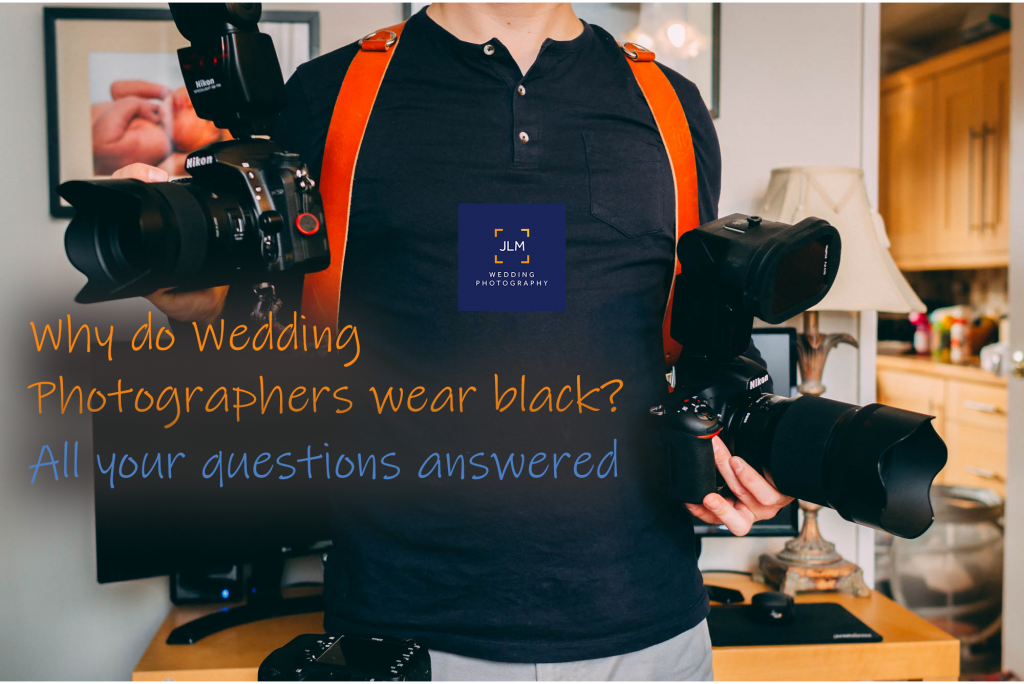
    Why do Wedding Photographers Wear Black? :: Your Questions Answered

    Here it is… your one stop shop for all the information you could possibly need about wedding photographers.  All your questions answered in one article!

    This is the second article in a series aimed at helping couples to find the right wedding photographer for them.

    If you came here hoping to understand wedding photography pricing you should take a look at Wedding Photography Pricing Explained which goes into way more detail on that subject.

    Though I am a wedding photographer myself, I have written this with my unbiased hat on.

    I know I’m not the right photographer for everyone and that’s fine.

    In researching this article I scoured Facebook, Google, Twitter… anywhere people are likely to be asking questions about wedding photographers.

    (more…)
  • How Much Does A Wedding Photographer Typically Cost?

    How Much Does A Wedding Photographer Typically Cost?

    How much should I expect to pay for a wedding photographer?

    Why do wedding photographers vary so much in price?

    Why is it so much more expensive to hire a photographer for a wedding than a party?

    Is price a good guide to the quality of the photographer?

    Four simple and very reasonable questions which I will aim to answer in this article.

    How much should I expect to pay for a wedding photographer?

    Like almost any other service out there, especially in the wedding industry you’re looking at a piece of string here.

    There are so many factors that affect how much a wedding photographer will charge you for their time.

    You will also find differences in how you are charged.

    For example some will charge for the full day, some by sections of the day, others by the hour.

    Some will give you all the photos afterwards.  Others may hold them back and you can choose which to purchase after the event.

    The going rate for wedding photography is also influenced by where you live.  The wedding photography market in some regions can be highly saturated driving prices down for all but the very best.

    How do I decide my wedding photography budget?

    When you first start out in your search for a photographer you may find yourself shocked at how expensive they seem.

    Some of those numbers can bring a tear to your eye.

    Whatever budget you had in mind, either consciously or otherwise, chances are that was blown out the water when you started looking into it properly.

    So, where to start budgeting for a wedding photographer?

    For many, the photographer is amongst the first things to sort out when arranging the wedding.

    Hopefully this means the photography budget can be allocated before the money disappears on other frivolities.

    I did a little Google based research and wedding photography on average accounts for around 5% of the total wedding budget. (sources: [1].[2])

    If you already know your total wedding budget that should make it pretty straight forward to work out your photography budget.

    I also discovered that the average price of a wedding photographer in the UK is between £1,000 and £1,500.

    This second fact may conflict with the first if you don’t have a huge wedding budget.  You may need to sit down and do some budget juggling at this point.

    Once you have your starting point it is time to start looking around at what you can get for that money.

    To be honest, I’m probably not the right photographer for you.

    Find Out Why

    But first, let’s ask another important question.

    Is price a good indicator of the quality of a wedding photographer?

    I’m afraid the short answer is Yes and No.

    Yes, a very popular and highly regarded photographer will be commanding a hefty fee.

    Equally a photographer who is in less demand will ask for a smaller fee to encourage business growth.

    What you need to keep in mind is that almost all wedding photographers are self employed.

    This means they have complete control over how they run their business and how they set their prices.

    Someone could come out of nowhere, with no experience, thinking they know what they’re doing and start asking for a ridiculously high price for their services.

    Many of the extreme examples are easy to spot by looking at their reviews on Facebook or Google.  Any experienced wedding photographer should have an extensive portfolio of past weddings which will vouch for their quality.

    On the flip-side, you may find yourself extremely lucky by landing on a high quality photographer who charges a relatively small fee.

    If you come across such an individual then it is important that you establish why they charge so little.

    It could be that they do it out of passion and don’t need the money, they may have other sources of income.

    They may also be relatively inexperienced and feel like they have not yet earned the right to charge a substantial fee.

    Whatever the reason, if it sits well with you then go ahead and bag yourself a bargain.

    Naturally, if it looks too good to be true then it probably is.

    Why do wedding photography prices vary so much?

    Here in the UK we have a few price brackets which, by and large, most wedding photographers fall into.

    These are typical prices for full day wedding coverage with photos delivered digitally.

    Try to subtract any ‘extras’ from the packages such as engagement shoots, albums and other gimmicks; we are only concerned with the price of photography coverage here.

    One final point before we start, a disclaimer if you will.  Many great photographers will fall outside of these groups and will no doubt be disgruntled by just how much I am generalising here.

    My intention is to give you a rough pricing vs expectation guide, nothing more.

    Inexperienced or budget oriented wedding photographers – sub £750

    A mixed bag.  Some will be new to wedding photography, looking to build up their portfolio.

    Others may be experienced but not able to deliver a consistent, high quality or reliable service.

    At this price point you are taking a certain degree of risk.

    This is not to say you will be disappointed, just be extra diligent when vetting photographers in this category.

    Mid-market wedding photographers – £750 to £1,500

    Typically highly experienced and dependable, very good standard of photography but may not necessarily be striking or distinctive in their style.

    You are unlikely to be disappointed if your photographer fits this price bracket, though please still talk with them before booking and make sure they have a couple of years’ worth of past weddings and accompanying positive reviews to back up their prices.

    At this price point you are likely to come across photographers who specialise in a particular technique of wedding photography so make sure they are compatible with your needs.

    For example, you don’t want to pick up a documentary photographer if you are expecting a number of highly stylised portrait shots on your wedding day.

    High end, award winning, highly regarded wedding photographers – £1,500 plus

    Once you get into this category you are flying first class.

    Beyond being guaranteed a consistent and dependable service you can expect the photographer to be an artist who will tell the story of your wedding day in their own particular style.

    Those shopping in this bracket are likely to be looking for a photographer whose ‘look’ fits with the motif of the wedding.

    Why is it so much more expensive to hire a photographer for a wedding?

    We’ll finish on the age old question that haunts the wedding industry.

    This is not restricted to photography, my answer can apply to many wedding services.

    This phenomenon is sometimes referred to as a Wedding Tax.

    Why do prices jump up when you mention it’s for a wedding?

    The stock answer is that it takes a lot more time and effort when something is for a wedding.

    This is very true for something like a venue, caterer or cake makers where wedding day pressures and expectations are likely to be increased by many factors over something like a birthday party.

    I will answer this from my own perspective, as a wedding photographer.

    For me it is all about time.

    If I were to cover a corporate event, which I have from time to time, I would probably be in attendance at that event for maybe 4 hours.  Add to that another 2 hours spent editing the photos and you have a total of 6 hours worked.

    For a wedding I will typically arrive with the bridal party in the late morning, spend all day running around capturing anything and everything and finally pack my bags around 10pm.

    Sometimes later if I’m having fun.

    Basically I am working upwards of 12 hours on the wedding day.

    Then I have over 1,000 photos to edit.

    You get my point, much more work means I need to charge more.

    I’m not complaining.  I love photographing weddings and usually choose to stay later to make sure I never miss anything.

    Sadly, one has bills to pay.

    What to look out for when choosing a wedding photographer

    Look through their portfolio
    Not just the highlights, anyone can take a few stand-out images at a staged shoot.

    They should have a blog with full weddings, if not then ask to see a few client galleries.

    Give their Facebook page a deep dive
    Some will suggest making sure they have the little check mark next to the name to indicate they are verified by Facebook.

    This is a good idea but ultimately that is simply a formality whereby Facebook validates that it is the official page representing that business, it says nothing of the quality or reliability of the photographer.

    What you need to look through are the reviews and photos.  Especially the reviews.

    Read their T&Cs
    Make sure they have covered all your concerns on their standard Terms & Conditions or contract document.  If not, ask.

    Talk to them, meet them in person if practical
    Give them a call, catch them off guard and get to know them as a person.

    Remember you will be spending your entire wedding day with this person so make sure you are happy with them personally.

    Check their availability
    Sounds obvious but if you don’t find out if they are available on your wedding day then you are setting yourself up for a massive disappointment.

    As soon as you get an inkling about a photographer reach out and find out if they are available.

    We are only ever available for one wedding per day after all.

    Conclusion

    Whilst I appreciate that taking advice about wedding photography pricing from a wedding photographer may seem a little bias, I have done my best to take a step back and reflect on the industry as a whole.

    There are so many wedding photographers on the market that price fluctuations are inevitable.

    As a general rule, lower priced photographers are likely to be either less experienced or not as consistent.  The more you pay the more likely you are to receive a much higher quality of service.

    That said, never judge a photographer by price alone.  Photography is an art, so just because they are worth a lot to some, they may not be right for you.

    One final point, remember this is an unregulated industry so there are no checks in place to make sure they are charging fairly.  Always make sure you are happy with the person, not just the photos.

    So that’s it, hope it was helpful.  Any feedback, thoughts or comments feel free to add a comment below.

    If you did find it helpful please share it with others.  Every share really does help to grow my website and support my business :-).

    See ya next time.

    James